
Infront Advisory Solution

Create prospect

AS_prospect_new_EN.png  To create prospects and create the corresponding person, go to the "Customers" area, open the "New..." drop-down list at the top of the navigation pane and then select the "Create prospect" entry.

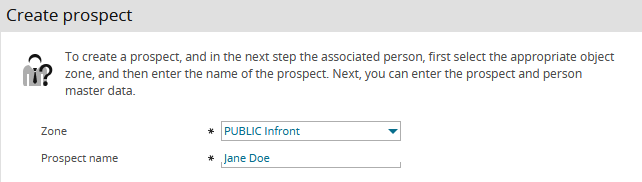
On the "Create prospect" page, first select the corresponding object zone and enter the name of the prospect.
AS_prospect_EN.png

AS_icon_prospect_DE.png Confirming your input with "Next" opens the "Edit master data" page for recording the master data of the created prospect as well as the master data of the linked person.

Then click the "Save" button.

AS_icon_edit_DE.png To further edit the saved data, click the "Edit prospect master data" icon.