
Infront Advisory Solution

Enter comments about portfolio positions

AS_market_data_logo_DE.png

AS_portfolio_positon_add_note_EN.png

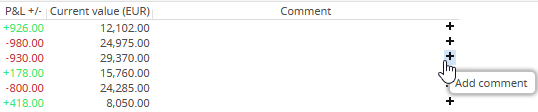
You can save comments on the individual securities positions in your sample portfolios (in the "Table" view). To do this, click the "Comment" icon in the "Comment" column in the corresponding row, enter the comment text in the "Comment" dialogue window that appears and confirm the entry with "OK".
AS_portfolio_positon_edit_note_EN.png

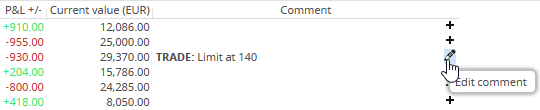
You can change these remarks at any time by using the "Edit comment" icon that appears for existing remarks.

AS_icon_expand_comments_DE.png By using the "Multiline comments" icon, you can distribute longer texts in the "Comment" column across several lines.

AS_icon_collapse_comments_DE.png By clicking the (now changed) icon again, you reset the display.