

To search for certificates of a specific underlying:
-
Select the "Underlying" checkbox.
-
In the "Underlying" area, click the "Selection" button.
-
The "Selection" dialogue window opens.
-
Enter the name, WKN or ISIN of the relevant underlying in the input field and start the search by pressing <RETURN> using the "Search" magnifying glass icon.
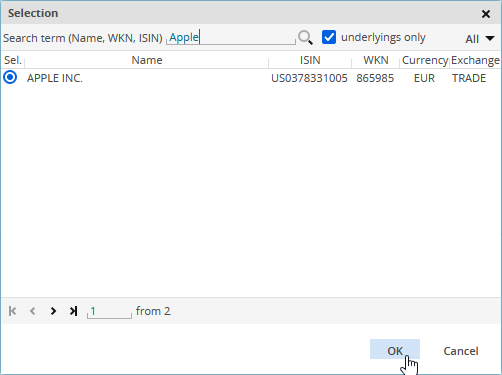
If you also want to see hits that are not underlyings, clear the "Underlyings only" checkbox.
By using the drop-down list to the right, you can limit the search to certain types of securities. By default, the search includes all security types ("All"). The number of securities found for a type is shown in brackets. -
Select the the corresponding underlying in the list and confirm with "OK".
-
This adds the underlying as a search parameter.
-
You can refine your certificates search in the other areas.