

Use the "Arbitrage" menu item in the navigation pane of a security portrait to open the arbitrage table for this security.
In the arbitrage table, you can see the prices of all available stock exchanges and over-the-counter trading venues for the currently selected security.
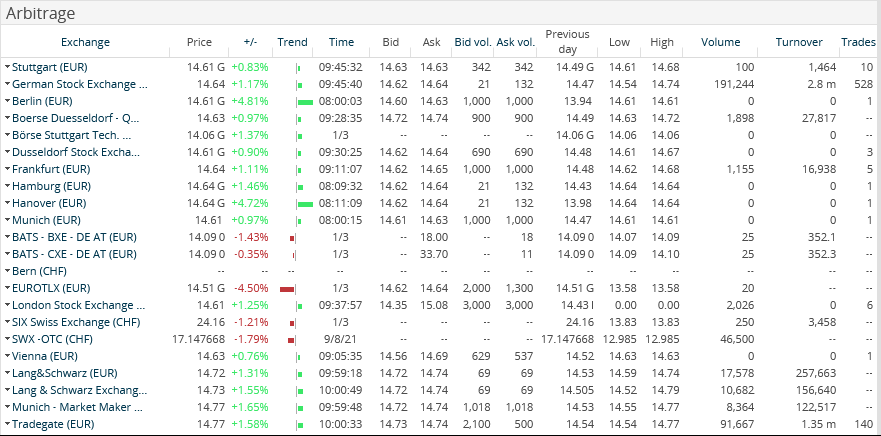
By clicking the names of the trading venues ("Exchange" column), you switch directly to the corresponding security portrait at this place.

By clicking the highlighted column headers, you can sort the arbitrage list by the column in ascending or descending order.