

Once you have selected a security (for example, by clicking a search result or from a market overview page), then the security portrait overview opens.
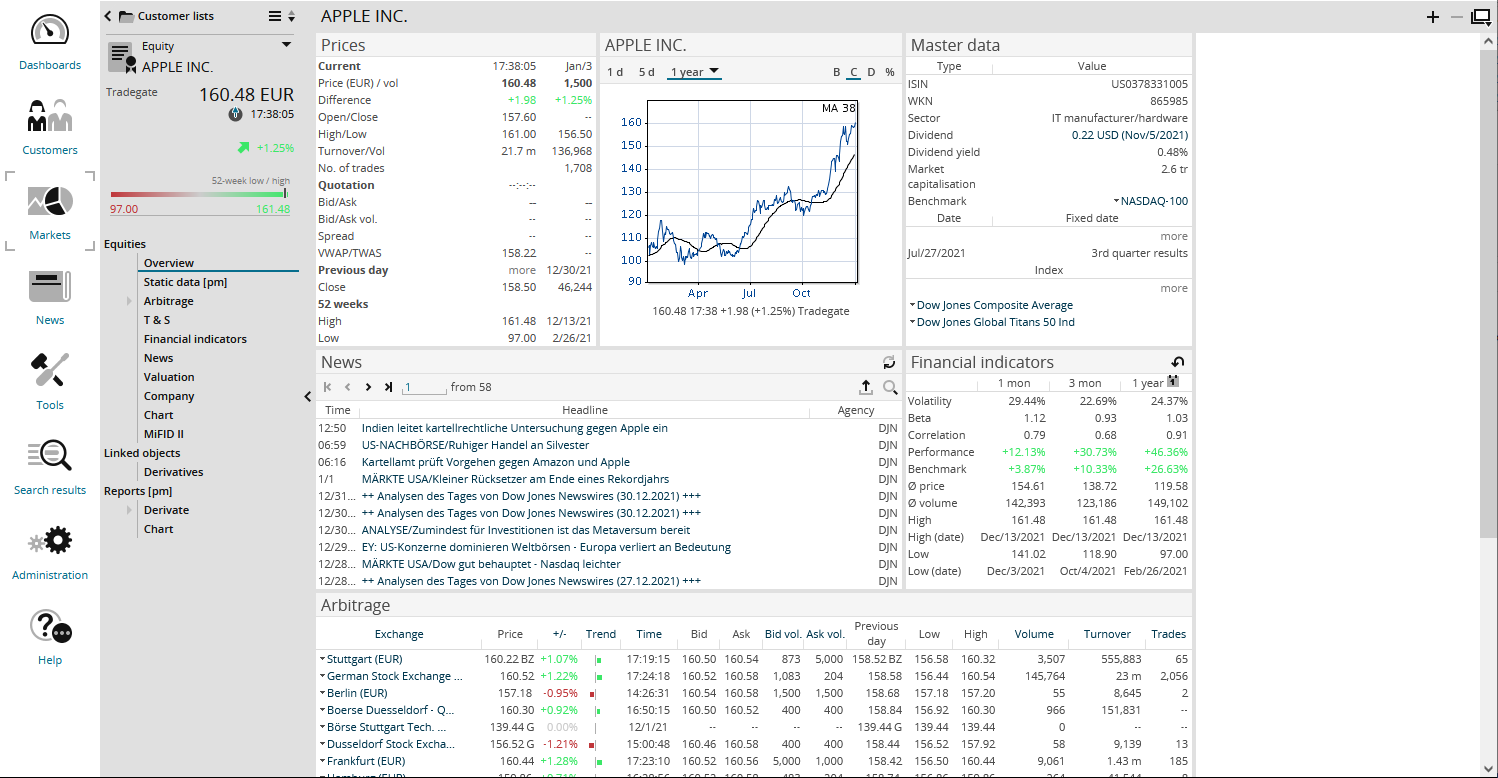
In the analysis area, you will find the following windows in the overview of security portraits, for example:
-
Prices
-
Chart
-
Master data
-
News
-
Key figures
-
Arbitrage list
As usual, you can, for example, click the linked elements and switch to the chart centre or news overview.
Some of the menu items or information described below are not useful and therefore not available for all types of securities.
Equities or indices can be, for example, underlyings, whereas a warrant cannot. Accordingly, you can find the "Related" menu item with derivatives of the underlying in the equity profile and indices; in the warrant profile, this menu item is not available in the navigation pane. In the bond profile, you can find the Yield Calculator, for funds the type-specific "Structure" and "Fund prospectuses" menu items and so on.