

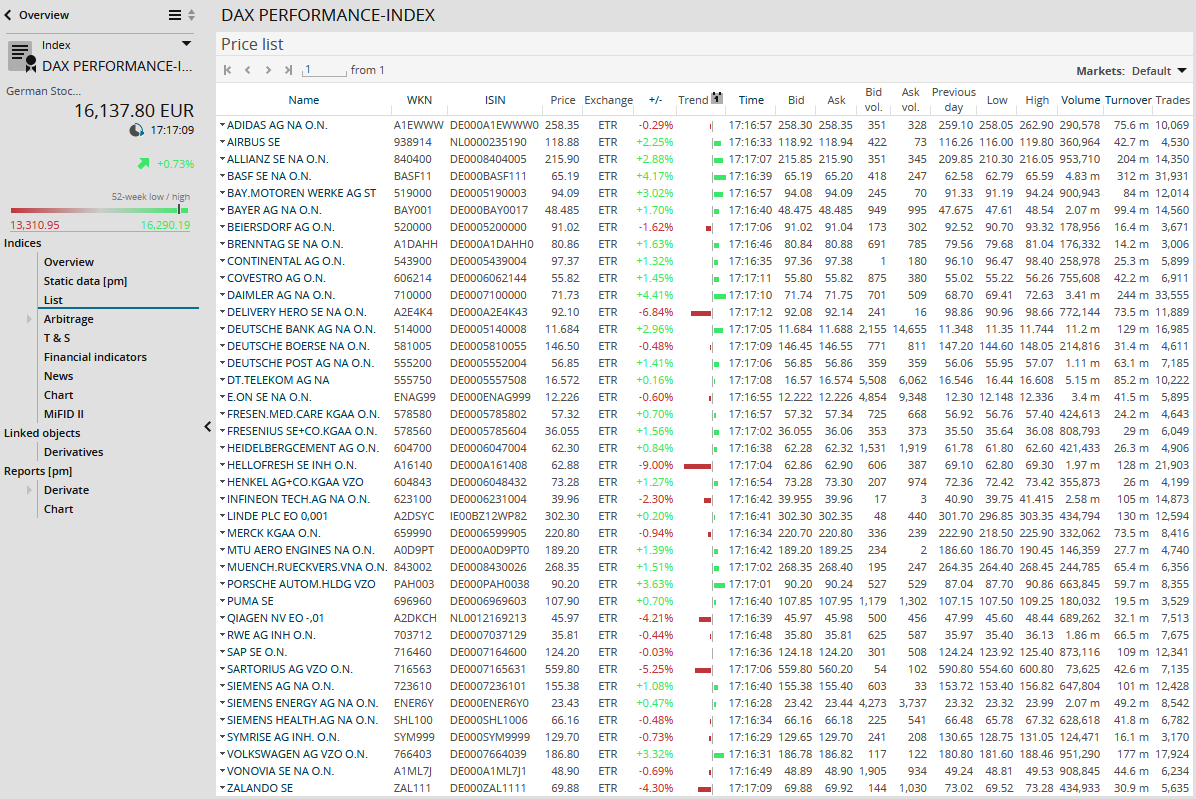
For securities of the "Index" type, you can open the index composition as a price list via the "List" menu item in the navigation pane of the securities portrait – for example, for the DAX the 30 individual securities from which the DAX is currently calculated.
-
In the price list, you can see the prices of the index participants at the exchange selected for the index. You can change the location by using the "Markets" drop-down list.
-
In the price list, the values of the "Name" column are linked. Click the security names to switch directly to the corresponding security profile.
-

-
By clicking the underlined column headers, you can sort the list by this column in ascending or descending order.
-
The "Trend" column graphically shows the price change compared to the previous day's closing price. With the integrated calendar above the column header, you can select a different reference date.