

To create a watchlist:
-
Select the "Watchlist" menu item in the navigation pane of the "Tools" area.
-

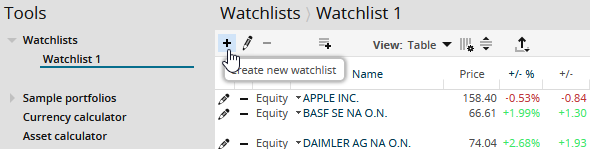
-
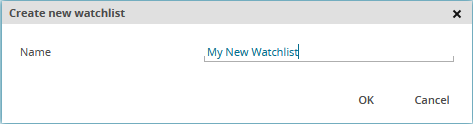
Enter a name for the watchlist in the "Create new watch list" dialogue window that appears.
-
Confirm your entries with "OK".
This creates the watchlist with the name you specified. Now you can add securities.
You can create a maximum of 20 watchlists with 100 individual positions each.