
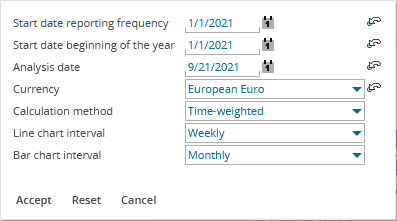
Reports can contain various parameters that you can specify. To adjust this setting, follow these steps:
-

-
Specify the various parameters.
-
Finally, click the "Accept" button.
This re-analyses the report with the specified settings.