

To export the content of a widget to an Excel file:
-
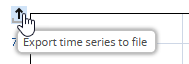
If you point to the chart window, the "Export complete time series to file" icon is displayed on the left above the y-axis.
-
Click the "Export complete time series to file" icon.
-
From the icon menu, select EXPORT TO EXCEL FILE.
-
In the "Save as" dialogue window that appears, enter the required name and save the file.
-
Now, you can open the file in Microsoft Excel and edit it further.