
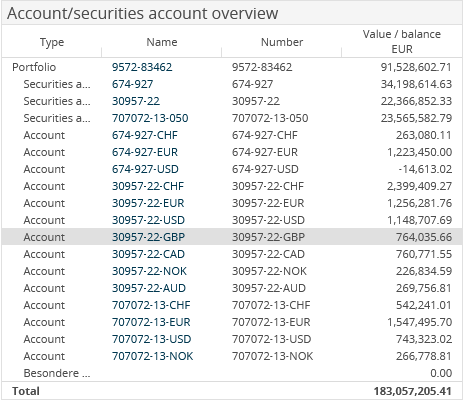
The "Account/securities account" client widget shows the portfolios, securities accounts and accounts as well as the special assets of the holder in a table with the "Type", "Name", "Number" and "Value/balance in analysis currency" columns.

Confirm the configuration with the "Apply" button.
By clicking the name in the "Name" column, you go directly from the dashboard to the corresponding view of the securities account object, for example, for portfolios to the portfolio dashboard or for accounts to the accounts view.