

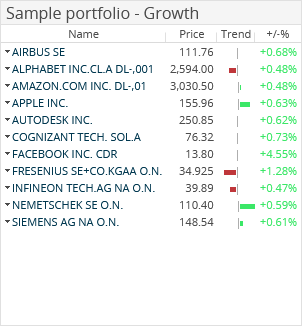
The "Sample portfolio" market data widget shows the current status for the selected model portfolio in the "Name", "Price", "Trend" (as bar chart) and "+/-" columns.

Confirm your configuration by clicking the "Apply" button.
By clicking the securities in the "Name" column, you go directly from the dashboard to the corresponding security portrait.
For more information about creating and managing model portfolios, see Sample portfolios.