

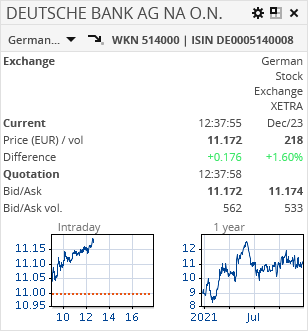
The "Compact quote" market data widget shows all important information for the selected security at a glance:
-
Intraday chart
-
1-year chart
-
Exchange
-
WKN
-
ISIN
-
Current price with price date, time and last volume
-
Absolute and percentage difference of the close from previous date.
-
Quote with time
-
Ask and bid price with corresponding volumes

In the toolbar of the "Compact quote" widget, you find the following settings:
|
Element |
Description |
|---|---|
|
|
Select a different trading venue, if necessary. If several trading venues are available, then open the drop-down list by clicking the arrow symbol. |
|
|
Switches to the security portrait of this security. |


Confirm your configuration by clicking the "Apply" button.
You can save applied changes only in the edit mode of the dashboard.