
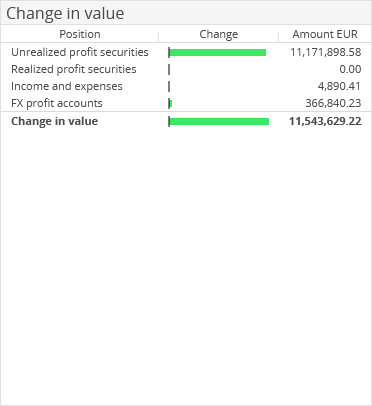
For each position, you see in the "Change" column the development since the specified start date and the absolute change in the "Amount" column in the selected currency.
The division of the positions in "Unrealised profit securities", "Realised profit securities", "Income and expenses", "Foreign exchange profit account" and "Change in value" corresponds to the right side of the "Performance report".

|
Element |
Description |
|---|---|
|
Start date |
Enter the start date for the analysis, if necessary. The default setting is the 1st of January in the current calendar year. |
|
Currency |
Select here another currency, if necessary. |
|
Profit over period |
Selected by default. Clear this checkbox to also take average purchase prices into account when determining realised or unrealised profits. |
Confirm your configuration by clicking the "Apply" button.